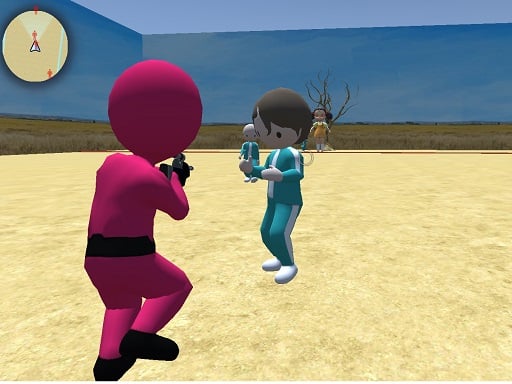
About Squid Game: Shooting Survival
You know the Squid game - the game, right? Well… This game third-person shooting is another series of squid game but this time you are the red team and hunt Green team, many game mode and mission waiting you to try such as shooting to green team to knock down, drive a car or motorcycle, collect coins, parking cars and much more. Have fun here and don't forget to visit our website developer bestcrazygames.
How to Play Squid Game: Shooting Survival
- WASD
- WALK Use mouse to look around aim and shooting Press E to enter and exit vehicle Tab to show menu
❓ Frequently Asked Questions
How do I play Squid Game: Shooting Survival?
Click the Play button above to start Squid Game: Shooting Survival instantly in your browser. No download or installation needed. Works on PC, mobile, and Chromebook.
Is Squid Game: Shooting Survival free to play?
Yes! Squid Game: Shooting Survival is completely free to play online on PrimeGameHub. No registration, no download, no hidden fees.
What devices can I play Squid Game: Shooting Survival on?
You can play Squid Game: Shooting Survival on any device with a modern web browser — Windows PC, Mac, Chromebook, iPhone, iPad, and Android phones and tablets.