About Eating Blocks
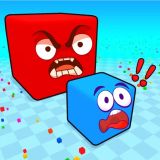
he new multiplayer adventure offers to become part of the exciting process, which consists of eating blocks of different colors, the result of which should be the first place in the leaderboard. The game is somewhat similar to agar.io, but as if its three-dimensional version and that allows you to look at what is happening in a completely different way!
❓ Frequently Asked Questions
How do I play Eating Blocks?
Click the Play button above to start Eating Blocks instantly in your browser. No download or installation needed. Works on PC, mobile, and Chromebook.
Is Eating Blocks free to play?
Yes! Eating Blocks is completely free to play online on PrimeGameHub. No registration, no download, no hidden fees.
What devices can I play Eating Blocks on?
You can play Eating Blocks on any device with a modern web browser — Windows PC, Mac, Chromebook, iPhone, iPad, and Android phones and tablets.