All Action Adventure Arcade Racing Strategy Sports Girls Shooting Clicker Multiplayer Hypercasual Fighting Puzzle Boys Cooking Bejeweled IO Farming Soccer Board Classic War Stickman Games Casual Your Favorite Strategy Endless games Card Game Dinosaur game
Play Fullscreen Mario
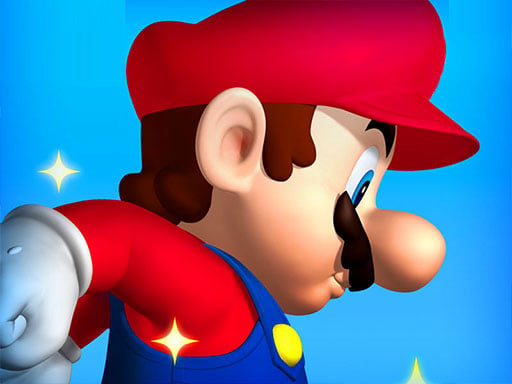
Fullscreen Mario Thumbnail
Arcade

Fullscreen Mario

5 plays

About Fullscreen Mario

Full Mario game remake in HTML5 for your enjoyment!

How to Play Fullscreen Mario

  1. Press arrow keys or WASD to move — controls are simple and instant.
  2. Avoid obstacles and enemies while collecting points or power-ups.
  3. The game speeds up over time — stay focused to beat your high score.
  4. Try again immediately after game over — arcade games reward persistence.

No download or installation needed — Fullscreen Mario runs entirely in your browser. Works on Chrome, Firefox, Edge, Safari, desktop and mobile.

🎮 How to Play Fullscreen Mario

  1. Click the "Play Now" button above to load Fullscreen Mario in your browser
  2. Wait a few seconds for the game to load — no download or installation required
  3. Use your keyboard (arrow keys / WASD) or mouse to control the game
  4. Click the fullscreen button for the best gaming experience

💡 Tip: Fullscreen Mario works best on Chrome, Firefox, Edge, and Safari. Make sure JavaScript is enabled for optimal performance.

❓ Frequently Asked Questions

How do I play Fullscreen Mario?

Click the Play button above to start Fullscreen Mario instantly in your browser. No download or installation needed. Works on PC, mobile, and Chromebook.

Is Fullscreen Mario free to play?

Yes! Fullscreen Mario is completely free to play online on PrimeGameHub. No registration, no download, no hidden fees.

What devices can I play Fullscreen Mario on?

You can play Fullscreen Mario on any device with a modern web browser — Windows PC, Mac, Chromebook, iPhone, iPad, and Android phones and tablets.


View All